
Download Wondershare QuizCreator – Powerful Quiz‑Making Software for Educators
Overview
Wondershare QuizCreator is a niche‑focused, yet surprisingly versatile, quiz‑creation software designed for teachers, trainers, and any education provider who needs to build professional‑looking assessments quickly. The moment you open the app, a clean wizard‑style interface greets you, asking simple questions about the type of quiz you want to develop—multiple‑choice, fill‑in‑the‑blank, essay, matching, or even a blend of several formats in a single test. From there, you can populate your question bank, attach images, audio, or video clips, and configure advanced parameters such as time limits, attempt counts, pass thresholds, and randomization rules. Once your quiz is ready, QuizCreator gives you a buffet of publishing options: a web‑based flash quiz, an AICC/SCORM package for Learning Management Systems (LMS), a standalone EXE file, or even a printable Word or Excel document. The software also integrates with the Wondershare Quiz Management System, allowing you to upload quizzes directly to the cloud, track learner performance, and generate detailed reports. Whether you are preparing a short classroom quiz or a full‑scale certification exam, QuizCreator balances simplicity with depth, making it a compelling tool for anyone who creates quizzes on a regular basis.
Key Features
- Intuitive wizard‑driven quiz builder that reduces setup time.
- Support for all major question types: MCQ, true/false, fill‑in‑the‑blank, essay, drag‑and‑drop, and more.
- Multimedia integration—embed images, audio, video, and Flash elements to create engaging assessments.
- Flexible publishing formats: SCORM/AICC, Flash, EXE, HTML5, Word, Excel, and direct upload to the Quiz Management System.
- Advanced configuration options: time limits, attempt restrictions, pass/fail criteria, random question order, and adaptive scoring.
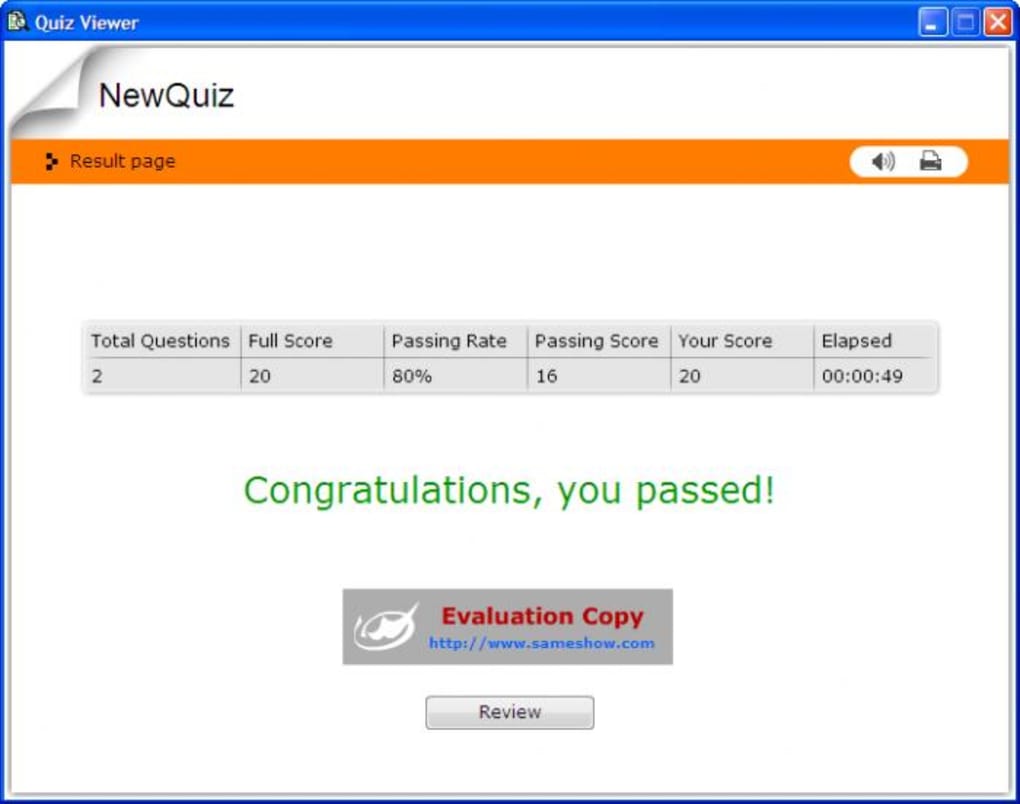
- Built‑in analytics dashboard for tracking results, generating detailed reports, and exporting data to CSV.
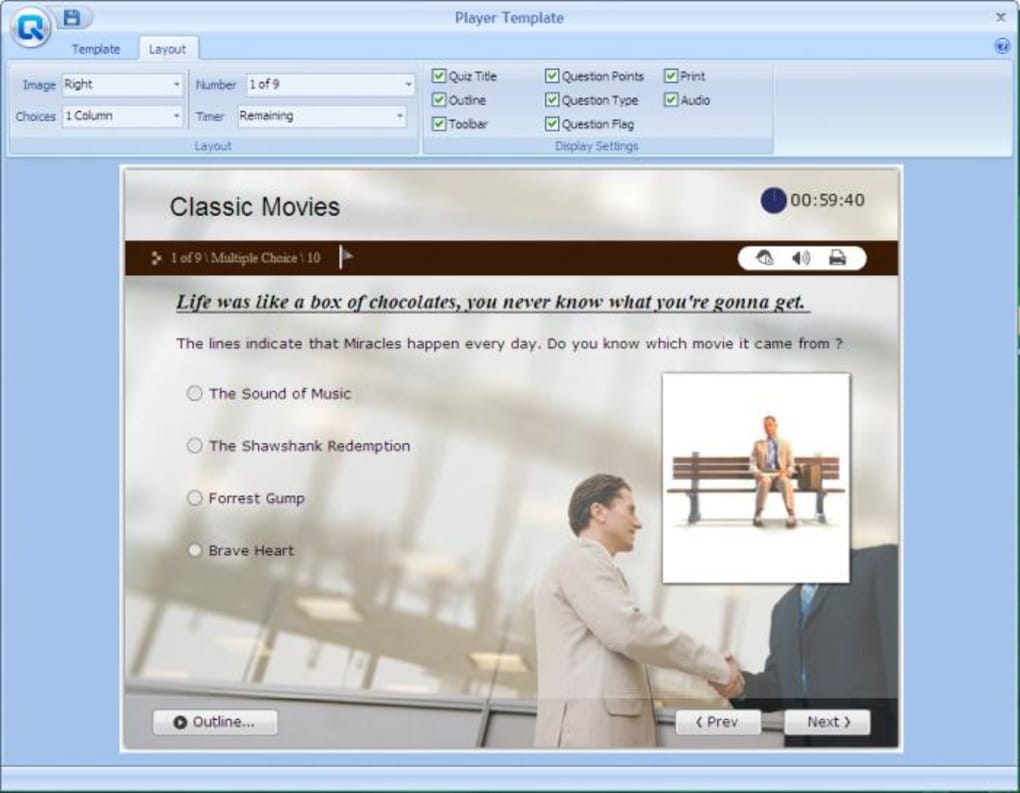
- Customizable player size and skin templates to match your branding.
- Secure encryption for quiz files and password protection for sensitive assessments.
- Automatic software updates that keep the app compatible with the latest operating systems.
- Cross‑platform compatibility with Windows 10/11 and macOS 10.15+ (via Wine or virtualization for macOS).
Installation & Usage Guide
Step 1 – Download and Install
Begin by visiting the official Wondershare website and clicking the “Download QuizCreator” button. The installer is a standard .exe file for Windows or a .dmg for macOS. The download is secure and automatically verified with a digital signature, ensuring you receive a clean, unmodified copy. Run the installer, follow the on‑screen prompts, and accept the End‑User License Agreement. The process typically takes under five minutes on a modern PC.
Step 2 – Register and Activate
After installation, launch QuizCreator. You’ll be prompted to either sign in with your Wondershare account or enter a license key if you purchased a standalone copy. Activation is cloud‑based, so the software validates the key instantly, unlocking the full feature set. A free 14‑day trial is also available, allowing you to explore all premium capabilities without risk.
Step 3 – Create Your First Quiz
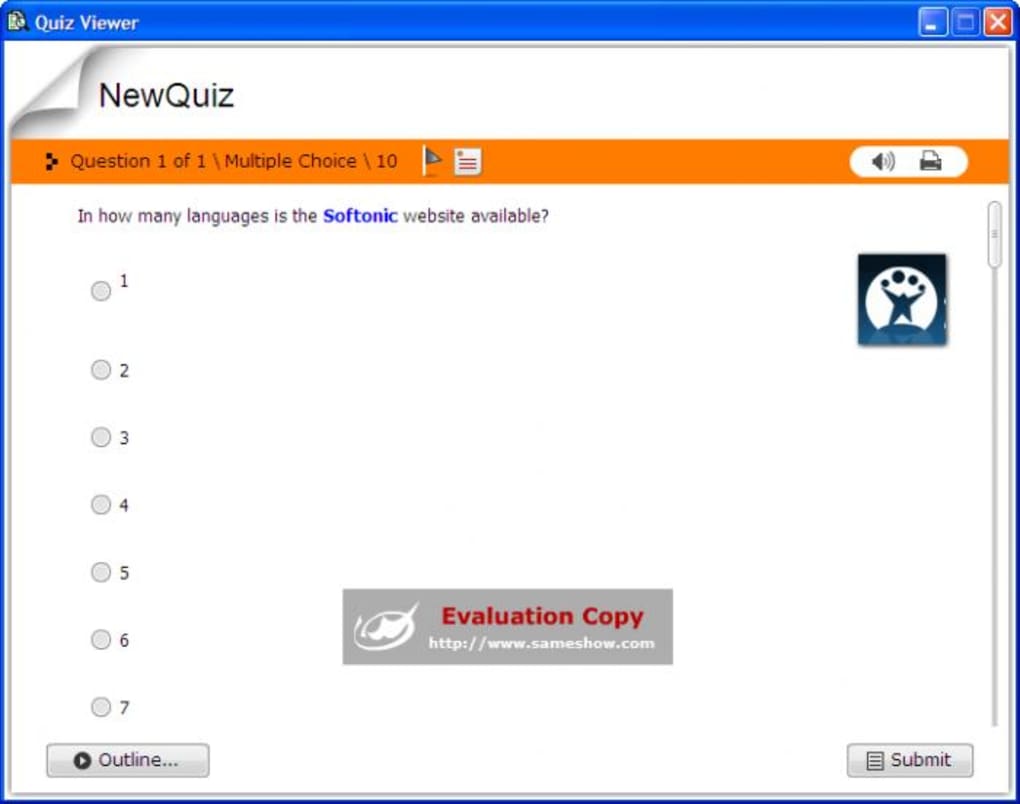
The main dashboard presents a “New Quiz” button. Click it, choose a quiz template (e.g., “Standard Test,” “Certification Exam,” or “Interactive Flash Quiz”), and select the desired question types. You can import questions from CSV files or type them manually. For each question, use the toolbar to attach multimedia files—simply drag a picture into the editor or click the audio icon to record a voice prompt. Configure quiz settings such as time limit, number of attempts, and pass score in the “Options” pane.
Step 4 – Publish and Distribute
Once you’re satisfied, click “Publish.” A dialog box offers several output formats. For LMS integration, choose the SCORM package; for a standalone test, select EXE or HTML5. You can also upload directly to the Quiz Management System, where the quiz becomes instantly accessible via a secure URL. After publishing, you can share the link with learners, embed it on a website, or burn it to a CD for offline distribution.
Compatibility, Pros & Cons
Wondershare QuizCreator runs natively on Windows 10 and Windows 11 (both 64‑bit). macOS users can operate the software through the official macOS build (available for macOS 10.15 Catalina and later) or via a Windows virtualization layer such as Parallels Desktop. At present, there is no native Android or iOS app, but the HTML5 output can be accessed on mobile browsers, making the quizzes effectively cross‑platform for learners.
Pros
- Highly intuitive wizard reduces the learning curve for new users.
- Broad range of question types and multimedia support keeps learners engaged.
- Multiple publishing options—including SCORM/AICC—make it LMS‑friendly.
- Robust reporting and analytics provide actionable insights for educators.
- Secure encryption and password protection safeguard exam integrity.
Cons
- Only Windows and macOS are officially supported; no native mobile app.
- Pricing may be a barrier for individual teachers on a tight budget.
- Advanced SCORM settings can be overwhelming for beginners.
- Flash output is deprecated on modern browsers, limiting that format’s usefulness.
- Interface, while clean, feels slightly dated compared to newer SaaS quiz platforms.
Frequently Asked Questions
Can I create a quiz for free?
Yes, Wondershare QuizCreator offers a 14‑day free trial that unlocks all premium features. After the trial, you’ll need to purchase a license to continue using the full version.
Is the software compatible with macOS?
A native macOS build is available for Catalina (10.15) and later. macOS users can also run the Windows version via virtualization tools like Parallels or Boot Camp.
Can I export quizzes to an LMS?
Absolutely. QuizCreator supports both SCORM and AICC packaging, allowing seamless import into popular LMS platforms such as Moodle, Blackboard, and Canvas.
How secure are the published quizzes?
Published EXE and HTML5 files can be password‑protected, and all data exchanged with the Quiz Management System is encrypted via HTTPS. This helps prevent unauthorized access and cheating.
Do I need any programming knowledge to use QuizCreator?
No. The wizard‑driven interface guides you through every step, and the built‑in templates handle the technical details. Only users who want to customize the HTML5 output may need basic HTML/CSS knowledge.
Conclusion & Call to Action
In the crowded world of e‑learning tools, Wondershare QuizCreator stands out by delivering a focused, feature‑rich environment for educators who need to design, publish, and analyze quizzes without wrestling with complex code. Its blend of simplicity (wizard‑driven creation) and power (SCORM/AICC support, multimedia, detailed reporting) makes it a solid investment for schools, corporate trainers, and freelance educators alike. While the lack of a native mobile app and the price point may give some pause, the overall value—especially when you factor in the secure encryption and versatile publishing options—justifies the cost for serious quiz makers.
Ready to elevate your assessment workflow? Download Wondershare QuizCreator today and take advantage of the free trial to see how effortlessly you can create professional‑grade quizzes. Join thousands of educators who have already streamlined their testing process with this powerful software.
Pros: intuitive UI, extensive export formats, robust analytics.
Cons: no native mobile app, premium price.







